 Skip to content
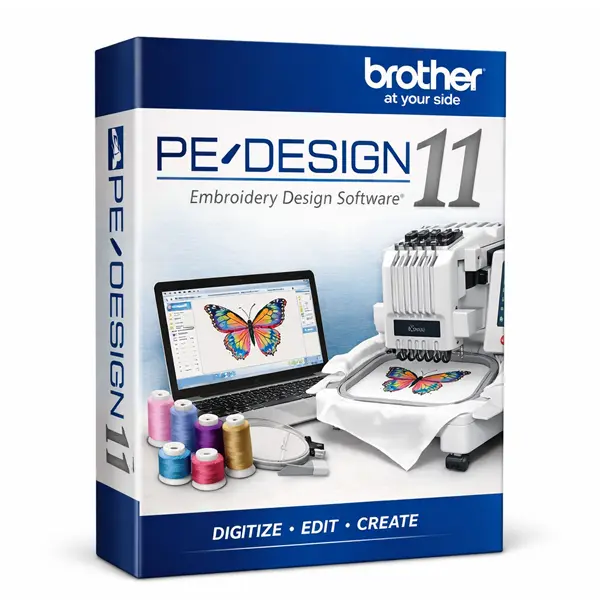
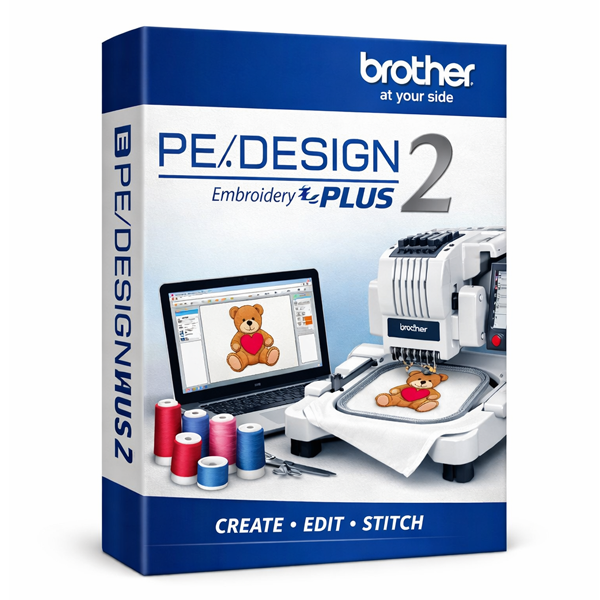
Brother PE Design 11 Embroidery Software
Brother PE Design 11 blends powerful embroidery design tools with an interface that stays approachable no matter your skill level. Beginners can pick up the basics quickly, while experienced users have room to dig into more advanced techniques — all within one streamlined workspace for creating, editing, and managing embroidery designs.
Whether you’re personalizing garments with custom monograms or building intricate designs from scratch, Brother PE-Design 11 gives you the flexibility and precision to bring the idea to life — and pairs seamlessly with Brother embroidery machines for smooth, precise stitching.
Standout Features
Comprehensive Design Library
An extensive library of pre-made designs, fonts, and motifs — from classic patterns to contemporary styles — covering everything from custom apparel to home décor and personalized gifts.
Advanced Editing Tools
Adjust shapes, lines, and colors, add text, and combine elements to build patterns exactly to spec.
Enhanced PhotoStitch
Convert photos into detailed embroidery designs, with refined control over conversion settings for higher-quality results.
3D Preview and Simulation
See how a design will look on fabric before you stitch it, so you can catch adjustments early and avoid wasted material.
Automatic Applique Creation
Build appliqué designs in just a few clicks instead of piecing them together manually.
Versatile Format Support
Import and export embroidery files in multiple formats, making it easier to work with different machines or collaborate with other designers.
Why Choose Brother PE-Design 11?
It’s not just a design tool — it’s room to experiment with new techniques, refine your skills, and produce professional-quality embroidery, whether you’re personalizing gifts, crafting home décor, or designing for a small embroidery business.
System Requirements
- Windows 10 or Windows 11
- Intel Core i5 or equivalent
- 8 GB RAM or more
- 20 GB available disk space (SSD recommended)
- DirectX 9 or later compatible graphics card, 1 GB VRAM minimum
- Minimum display resolution of 1280×768
- Internet connection for activation and updates
Mac users can typically run Brother PE Design 11 through Parallels Desktop or Boot Camp.
Before ordering, you can also review our Returns & Refund Policy and Terms & Conditions for complete peace of mind.
Frequently Asked Questions
Can Brother PE-Design 11 run on Windows 10?
Yes, it’s fully compatible with Windows 10 and Windows 11.
What file formats does PE Design 11 support?
Several popular embroidery formats, including PES, DST, and EXP.
What is PhotoStitch in Brother PE-Design 11?
A feature that converts photos into detailed embroidery designs, with advanced settings for higher-quality results.
Is installation support included?
Yes — free installation assistance comes with every purchase from EmbroideryKeep.
How will I receive my software?
Your download link and activation instructions are emailed shortly after checkout.
For additional questions, please visit our Frequently Asked Questions page.
Start Stitching Your Next Design
Buy Brother PE-Design 11 today and get instant access to a genuine license — no long wait, no complicated setup.
- Genuine license for one Windows PC
- Full Version software, delivered by email
- Free installation support included
- Secure checkout, fast delivery
Order now and start creating professional embroidery designs today.
Explore More Brother Software
Browse the rest of our Brother Embroidery Software collection, or see the full Embroidery Software range to compare other leading brands.

Sarah (verified owner) –
Fast delivery i love the support. Perfect!
Cloudy L (verified owner) –
Software works smoothly! Everything is as expected. Now I could apply PE 11 to put fantastic designs I had in mind into reality!