 Skip to content
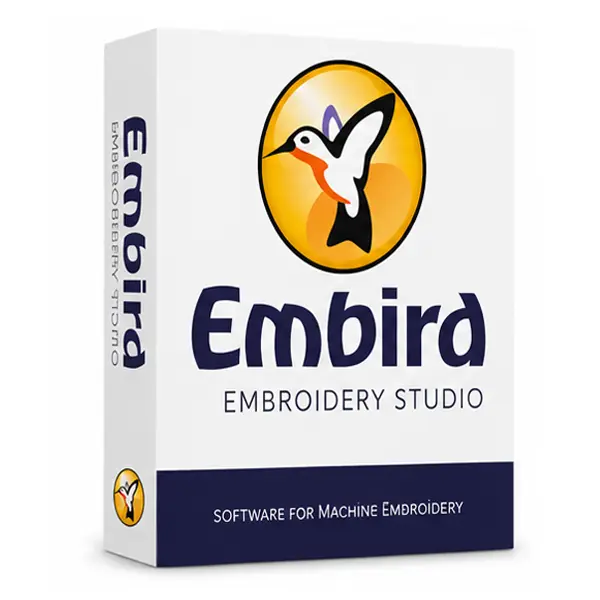


Embird Embroidery Studio
Embird Embroidery Studio is the digitizing module of the Embird suite — the tool you reach for when you’re turning artwork into an actual stitch file. Import an image, digitize it manually or automatically, then fine-tune stitch density, direction, and pull compensation until it sews the way you want.
It’s built to scale with you: simple enough to get a first design stitching quickly, with enough depth underneath for detailed commercial work once you need it.
What You Can Do With It
- Digitize artwork manually or with automatic tools
- Fine-tune stitch density, direction, and underlay
- Import and trace raster images for digitizing
- Access a built-in library of pre-digitized designs and motifs
- Edit, resize, and combine existing embroidery designs
- Preview stitching before sending to your machine
Getting the Most Out of Embird Studio
A few habits that help once you’re past the basics:
- Start with simple shapes before tackling detailed artwork — density and pull compensation settings become intuitive fast once you’ve digitized a few designs
- Use the built-in design library as a starting point rather than digitizing everything from scratch
- Keep the software updated to pick up stability fixes and new tools as they’re released
Machine & Format Compatibility
Embird Studio works with a wide range of embroidery file formats, so designs digitized here transfer cleanly to most popular embroidery machine brands without extra conversion steps.
System Requirements
- Windows 10 or Windows 11 (32-bit or 64-bit)
- Intel Core i3 or higher (i5 recommended for complex designs)
- 4 GB RAM minimum (8 GB recommended)
- At least 1 GB free disk space, plus room for your design files
- Internet connection required for activation
Mac users can typically run Embird Studio through Parallels Desktop or Boot Camp.
Before ordering, you can also review our Returns & Refund Policy and Terms & Conditions for complete peace of mind.
Frequently Asked Questions
Is Embird Embroidery Studio good for beginners?
It’s approachable to start with, and there’s enough depth in the stitch settings to grow into as your projects get more detailed.
Will it work with my embroidery machine?
Embird Studio exports to most widely used embroidery file formats, so it works with the majority of embroidery machines on the market.
Is installation support included?
Yes — free installation assistance comes with every purchase from EmbroideryKeep.
How will I receive the software?
Your download link and activation instructions are emailed shortly after checkout.
Ready to Start Digitizing?
Get Embird Embroidery Studio with a genuine license, delivered straight to your inbox.
- Genuine license for one Windows PC
- Full Version software, delivered by email
- Free installation support included
- Secure checkout, fast delivery
Order now and start turning artwork into stitch-ready designs today.
Looking for Other Embird Tools?
Browse the rest of our Embird Embroidery Software collection, or explore the full Embroidery Software range to compare other leading brands.


Reviews
There are no reviews yet.